10 Best Conversion Rate Optimization Tools to Increase Revenue in 2026



The best conversion rate optimization tools in 2026 are Contentsquare and Optimizely for enterprise-level behavioral analytics and experimentation. For mid-market and SMB teams, VWO, Hotjar, and Microsoft Clarity provide the highest ROI, balancing session recordings, heatmaps, and low-code A/B testing framework deployment within unified workflows.
Key Takeaways
- CRO tools fall into three functional categories: diagnostic tools that identify where users drop off, testing tools that validate which changes improve conversion, and personalization tools that deliver tailored experiences at scale.
- No single platform covers all three categories equally well. Most effective CRO stacks combine two to three tools that address the specific bottleneck.
- Privacy regulations, including GDPR (Europe), CCPA/CPRA (California), and Australia's Privacy Act 1988, affect how behavioral data can be collected and stored. Tools must be configured for compliance from the start.
- Platform-reported conversion lift figures are frequently overstated. CRO results should be validated against CRM revenue data and cohort analysis, not A/B test dashboards alone.
- For organizations with baseline traffic, the highest-leverage investment is typically in understanding why users are not converting before spending on tools that test possible fixes.
Introduction
Conversion rate optimization is not primarily a technology problem. It is a diagnostic and experimentation problem. Most businesses have enough traffic to improve conversion — what they lack is clarity about where users drop off, why, and which changes are worth testing.
CRO tools address different parts of that problem. Behavioral analytics platforms like Hotjar and Microsoft Clarity show where users click, scroll, and abandon. A/B testing platforms like Optimizely and VWO validate which changes produce measurable improvement. Personalization platforms deliver individualized experiences at a scale manual teams cannot match.
According to Contentsquare's 2026 Digital Experience Benchmark, most e-commerce visits still end without a conversion event, and conversion rates have softened year over year even as average order values rise. The gap between businesses that close those leaks systematically and those that do not is increasingly a question of whether the right diagnostic and testing infrastructure is in place.
What This Guide Covers
This guide explains the ten most effective CRO platforms and how to select the right combination for a specific business context.
It covers:
- How CRO tools fit into a broader conversion system
- The three functional categories every CRO stack needs to address
- Tool-by-tool breakdown with strengths, limitations, integrations, and pricing
- A framework for selecting tools based on revenue stage and bottleneck
- Common failure modes and where CRO programs break down
Why CRO Tools Require a System, Not a Single Platform
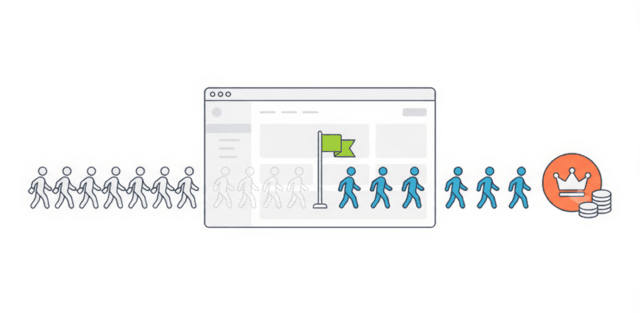
Conversion rate optimization works as a system. Traffic quality, page experience, behavioral signals, testing infrastructure, and attribution all interact. Improving one element without addressing the others produces marginal gains.
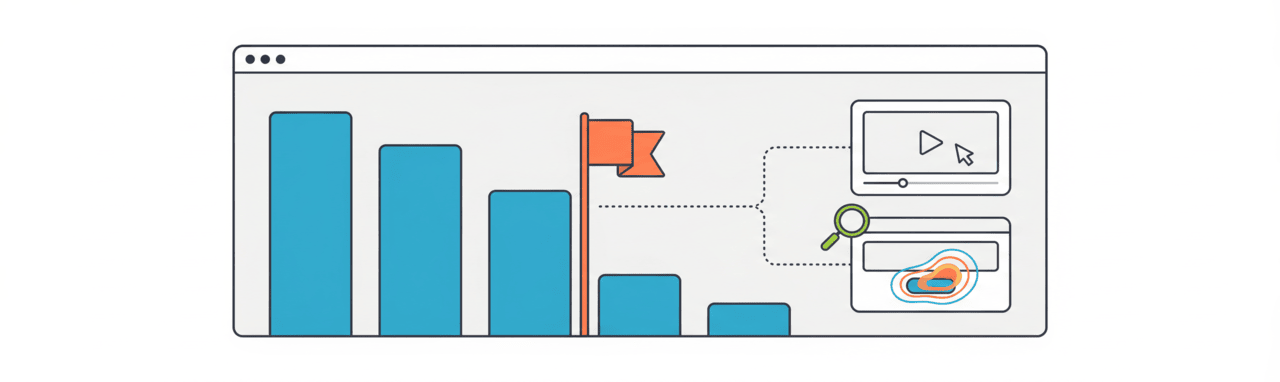
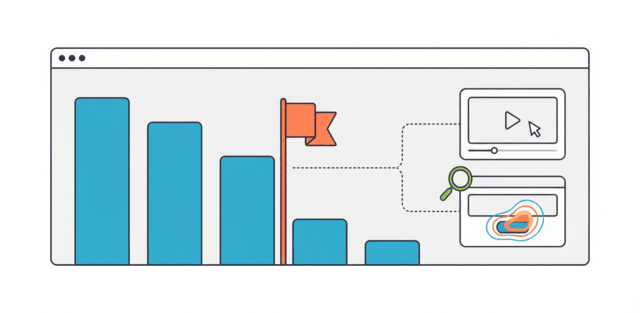
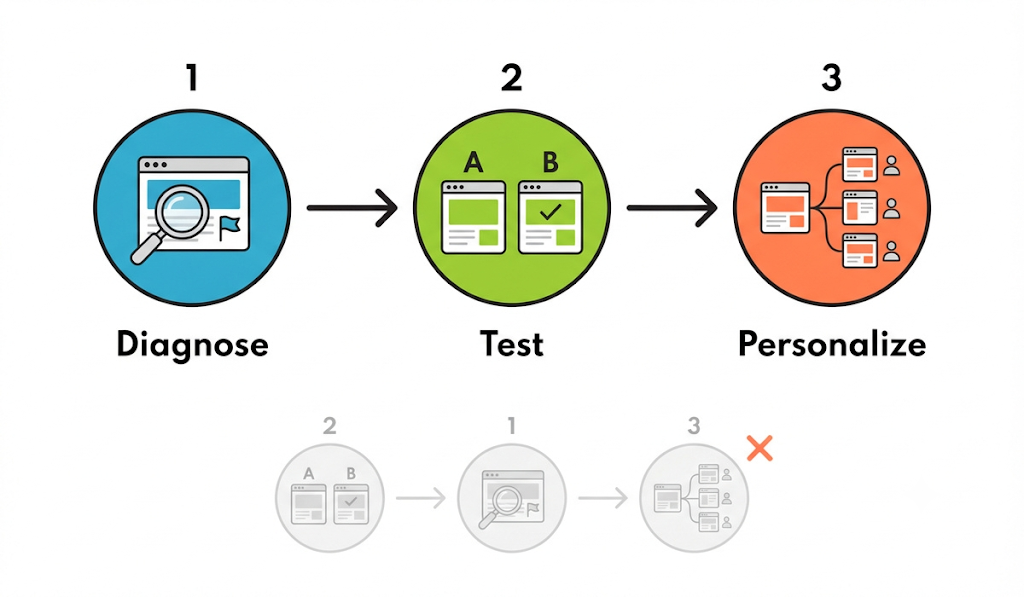
The system operates in three connected layers: the diagnostic layer identifies where users drop off using session recordings, heatmaps, and behavioral analytics; the testing layer validates whether a proposed change actually improves conversion through controlled experiments; and the personalization layer delivers optimized experiences to different segments at scale.
Most CRO failures occur because teams invest in testing tools before completing the diagnostic layer. The sequence matters: diagnose first, test second, personalize third.
The 10 Best CRO Tools in 2026
1. Contentsquare
Contentsquare is an enterprise digital experience analytics platform combining heatmaps, session recording, rage click detection, and JavaScript error tracking, used by large e-commerce, financial services, and retail organizations to monitor conversion friction across complex journeys.
Its AI-powered anomaly detection surfaces conversion issues automatically, reducing the time between a drop in conversion rate and identifying the cause. The platform handles GDPR compliance with data redaction built in, which matters for teams operating across APAC, Australian, and European markets. Integrates natively with Google Analytics 4 (GA4), Segment CDP, and Optimizely, letting behavioral data inform test hypotheses without a separate tagging layer.
Limitations: enterprise-only pricing. Contentsquare doesn't publish a rate card, but small deployments typically start around $30,000/year, scaling to $200,000+ for full enterprise session volumes. Setup requires technical onboarding. Not suitable for SMB teams on limited budgets.
2. Optimizely
Optimizely is the leading enterprise experimentation platform for A/B testing, multivariate testing, and feature flagging (the ability to turn a feature on or off for specific users without deploying new code). Organizations running high-traffic digital properties use it to maintain a continuous testing pipeline across web and mobile.
The platform's statistical engine is primarily frequentist, requiring a pre-calculated sample size before results are valid — this reduces false positives from underpowered tests, though results surface more slowly than on Bayesian platforms. Feature flagging enables gradual rollouts and instant rollbacks, reducing the risk of shipping changes to production. Integrates natively with Segment CDP, Salesforce, and Google Analytics 4 (GA4).
Limitations: Optimizely does not publish pricing, and quotes require a sales conversation. Entry-level contracts typically start around $36,000/year, with multi-product enterprise deployments reaching $200,000+. Setup and full utilization require technical expertise. Not accessible for teams without dedicated optimization resources.
3. VWO
VWO consolidates A/B testing, heatmaps, session recordings, and visitor analytics in a single platform, used by mid-market teams to reduce tool sprawl while maintaining meaningful diagnostic and testing capability.
VWO uses a Bayesian statistical model to evaluate A/B tests, allowing teams to identify likely winning variations earlier than traditional statistical methods. This can help organizations make faster optimization decisions, particularly on websites with lower traffic where collecting large sample sizes takes longer. While early insights speed up decision-making, teams should still confirm results with sufficient data before making major changes.
The platform's visual editor enables marketers and product teams to create and launch experiments without writing code, reducing the need for engineering resources. Paid plans for conversion optimization start at $99 per month, and VWO integrates directly with Google Analytics 4 (GA4), Shopify Plus, and Segment CDP for streamlined data sharing and analysis.
Limitations: the free plan severely restricts testing capacity. Heatmap rendering can slow on high-traffic pages. Native integrations with external analytics platforms are limited compared to specialist tools.
4. Hotjar
Hotjar combines session recording, heatmaps, and user feedback tools in an accessible package, used by teams of all sizes as a starting point for behavioral diagnostics on websites and landing pages.
Setup is fast and does not require engineering involvement for most implementations. The free tier, limited to 35 monthly session recordings, is sufficient for small sites doing initial CRO diagnostics. Paid plans start at $39 per month. Integrates natively with Google Analytics 4 (GA4), HubSpot, and Slack.
Limitations: session recordings are capped on lower tiers. Heatmap data can become difficult to interpret without clear filtering. Not suited for in-product analytics or complex funnel analysis.
5. Microsoft Clarity
Microsoft Clarity is a free behavioral analytics platform offering unlimited session recordings, heatmaps, and scroll tracking, used by small teams and individual marketers as a cost-free alternative to Hotjar.
The unlimited recording allowance at no cost makes it the most accessible entry point in the CRO tool category. Dead click detection identifies areas of a page that users click on, but that produce no response, which is a common source of conversion friction. Integrates natively with Google Analytics 4 (GA4) and Microsoft Power BI.
Limitations: no A/B testing or experimentation capability. Heatmaps update more slowly on high-traffic pages than paid alternatives. Segmentation options are limited compared to tools built specifically for CRO workflows.
6. Crazy Egg
Crazy Egg focuses on visual analytics through heatmaps, session recordings, and scroll maps, used by marketers and product teams to identify conversion friction with a faster setup than enterprise alternatives.
Confetti maps highlight interactions with specific page elements, allowing teams to distinguish which traffic sources are engaging with which parts of a page. Pricing starts at $24 per month for basic heatmaps. Conversion optimization features unlock at $99 per month. Integrates natively with Shopify, WordPress, and Google Analytics 4 (GA4).
Limitations: session recording is limited on lower-tier plans. Heatmap data lacks demographic filtering. Form analytics do not include abandonment prediction.
7. AB Tasty
AB Tasty is a mid-market and enterprise A/B testing and personalization platform combining server-side testing, feature flagging, and audience segmentation — used when teams need testing that avoids the visual flickering common in client-side tools: the brief flash of the original page before a variant loads.
Server-side testing means the experiment is run before the page loads in the browser, producing a cleaner user experience during tests and more reliable results. The personalization engine integrates across channels, allowing a single audience definition to power both on-site and email personalization. Integrates natively with Salesforce, Google Analytics 4 (GA4), and Segment CDP.
Limitations: AB Tasty doesn't publish a rate card. Typical annual contracts run $40,000–$60,000, scaling toward $150,000+ for full-platform deployments with server-side testing. Setup requires technical implementation for full capability. Support is weighted toward enterprise accounts.
8. Mixpanel
Mixpanel is an event analytics platform that tracks user behavior across web and mobile products, used by product and growth teams to analyze funnel conversion, cohort retention, and feature adoption.
Its flexibility in event tracking allows teams to define and measure conversion events specific to their product, rather than being constrained to standard page view or click metrics. The free tier supports up to 100,000 tracked events monthly. Paid plans start at $999 per month for production-scale analytics. Integrates natively with Segment CDP, Salesforce, and Snowflake.
Limitations: steep learning curve for initial event taxonomy setup. Free tier is insufficient for production use on most commercial sites. Paid plans are expensive relative to simpler behavioral tools.
9. FullStory
FullStory is a digital experience analytics and session replay platform focused on identifying technical and UX issues that block conversion, used to investigate error events and performance problems standard analytics platforms don't surface.
The platform's privacy-compliant recording methodology, including automatic data masking, makes it a viable option for businesses operating in GDPR and Privacy Act markets. Starting pricing is around $500 per month. Integrates natively with Segment CDP, Salesforce, and Slack.
Limitations: high cost for large traffic volumes. The learning curve is steep for non-analysts. Session replay features are limited on lower-tier plans.
10. Heap
Heap is a digital analytics platform that automatically captures user interactions without requiring manual event instrumentation, used to retroactively analyze conversion paths and surface friction points that weren't explicitly tracked.
The retroactive analysis capability means teams can investigate the root cause of a conversion problem using historical data, without waiting to implement new tracking and collect new data first. The free plan is suitable for smaller sites. Paid plans start at approximately $899 per month. Integrates natively with Segment CDP, Salesforce, and Snowflake.
Limitations: pricing increases steeply with event volume. Some developer involvement is still required for complex implementations. The learning curve for non-technical users is significant.
CRO Tool Summary
Framework for Selecting the Right CRO Stack
Tool selection should follow bottleneck identification, not the other way around. Adding tools before identifying the specific conversion constraint produces data without direction.
Three questions should precede any CRO tool investment: Is the conversion event being optimized currently measurable? Is there enough behavioral data to form a testable hypothesis? Can the team act on what the tool reveals, or will data just accumulate?
If the answer to any of these is no, resolving the gap takes priority over adding tooling.
Common Failure Modes in CRO Programs
Most CRO programs underperform not because of tool limitations but because of how tools are used.
Testing without sufficient statistical power is the most prevalent error. Running an A/B test for three days on a low-traffic page and declaring a winner based on 80 visits produces a false positive at a high rate. Sample size planning before launching a test is not optional.
Optimizing for micro-conversions that do not connect to revenue produces metrics that improve while business outcomes stagnate. Every CRO metric should be traceable to a downstream commercial outcome.
Privacy compliance gaps create both legal risk and data quality problems. Tracking users without consent produces behavioral data from users who did not intend to engage, distorting conversion analysis. Server-side tracking, consent management integration, and documented data retention policies are operational requirements.
The 2026 privacy era has also pushed CRO stacks toward architecture that was optional a few years ago. As third-party cookies continue to phase out, cookieless tracking is becoming the default, and teams increasingly rely on edge-side personalization to deliver test variants from the server or CDN rather than injecting them client-side after the page loads. This approach is especially valuable for teams using modern frameworks like Next.js or Nuxt.js, where server-rendered pages benefit from edge delivery instead of flicker-prone client-side scripts.
Consent Management Platforms (CMPs) like OneTrust have become the connective layer that keeps this infrastructure compliant. They control which behavioral data a tool can collect before an A/B test, heatmap, or other optimization technology begins collecting user data.
Separately, AI copy-generation tools now produce and test multiple headline, layout, and CTA variants automatically, compressing what used to be weeks of manual variant creation into a single cycle — though this raises the same statistical-power risk described above if teams launch more variants than their traffic can support.
Attribution within CRO tools is systematically biased toward the final interaction before conversion. A user who read three blog posts and then responded to an exit-intent popup will typically have that conversion attributed entirely to the popup. That distortion, compounded over time, produces incorrect prioritization of conversion tactics.
Conclusion
The most effective CRO programs are built on a clear diagnostic foundation before testing begins. Behavioral analytics tools identify where users are dropping off. Testing tools validate whether a proposed change improves conversion. Personalization tools scale what works to specific audiences.
No single platform covers all three functions optimally. The right stack depends on traffic volume, technical resources, compliance requirements, and where in the funnel the primary constraint exists. The practical question is not which tool has the most features, but which combination will produce actionable data on the specific conversion problem the business is trying to solve.
FAQs
What is a conversion rate optimization tool?
A CRO tool is software that helps identify why website visitors are not converting and provides the means to test and implement improvements. Tools range from session recording and heatmap platforms to A/B testing and personalization engines.
What is a good conversion rate for a website?
Average conversion rates vary significantly by industry and traffic source. E-commerce typically ranges from 1 to 3%, SaaS free-trial-to-paid from 4 to 15%, and B2B lead generation from 5 to 15%. The most useful benchmark is the trend of your own conversion rate over time, not an industry average.
Do CRO tools work without A/B testing?
Diagnostic tools like Hotjar and Microsoft Clarity can identify friction points without running controlled experiments. However, without testing, it is not possible to confirm whether a proposed change improves conversion or makes it worse. Diagnosis without testing produces informed guesses, not validated improvements.
How many CRO tools should a business use at once?
Most effective CRO programs operate with two to three tools: one for behavioral diagnostics, one for testing, and optionally one for personalization at scale. Adding more tools without clear ownership of each creates data fragmentation without improving conversion outcomes.
How do privacy regulations affect CRO tools?
GDPR (Europe), CCPA/CPRA (California), and Privacy Act 1988 (Australia) govern how behavioral data can be collected, stored, and used. Session recording and heatmap tools must be configured with consent management — typically through a CMP like OneTrust — data masking for sensitive fields, and documented retention policies to remain compliant in these markets.
Related Content
Read These Next
Conversion Rate Optimization for Lead Generation: 7 Tactics That Fill Your Pipeline Faster